
One button, then show it.
- A few seconds
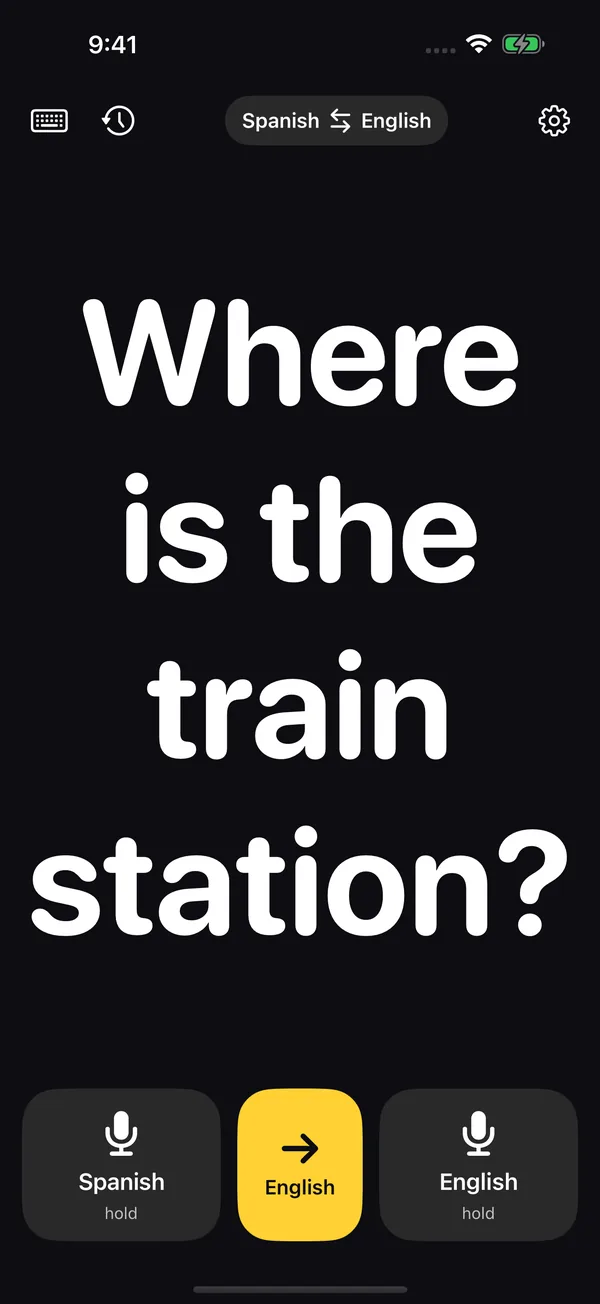
First hold the button and speak: your sentence appears in giant type as you talk.
- One tap
Then tap the yellow button and it switches to the other language.
- As long as it takes
Finally turn the iPhone around: the other person reads it from a distance, no leaning in.
Try it with your words.
In the app you say it out loud. Here, to try it, type it or pick an example.
Where is the train station?
When do you use it?
You're travelling and don't speak the language.
Say it in your language, tap the yellow button and the other person reads it in theirs. 42 languages online.
You're talking to someone who can't hear well.
No translation needed: dictate in your language and your words appear in giant type for them to read.
It's too loud for anyone to hear.
A bar, a building site, a concert: reading the screen doesn't need sound.
No signal, or you'd rather not use data.
Offline mode: free, unlimited, and everything stays on your iPhone.
Your hands are full.
Volume buttons: up listens in your language, down in the other one. No touching the screen.
On your iPhone.
One screen: your sentence in giant type, the two languages on top and three buttons below. Everything else lives in Settings.
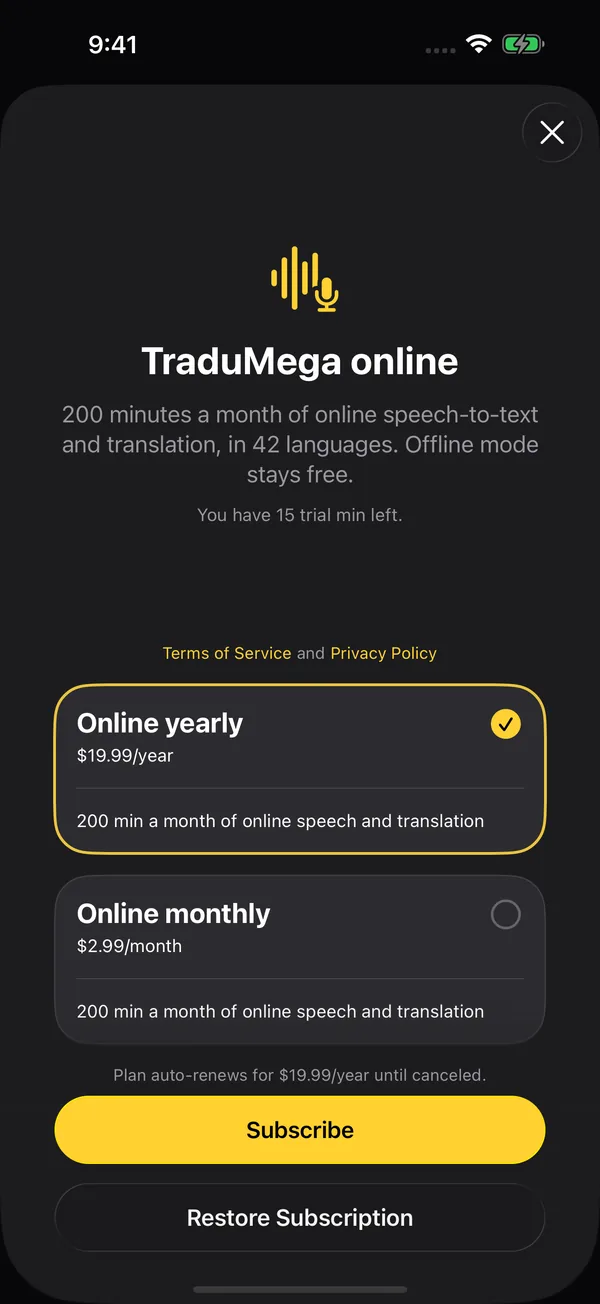
Online, $2.99 a month.
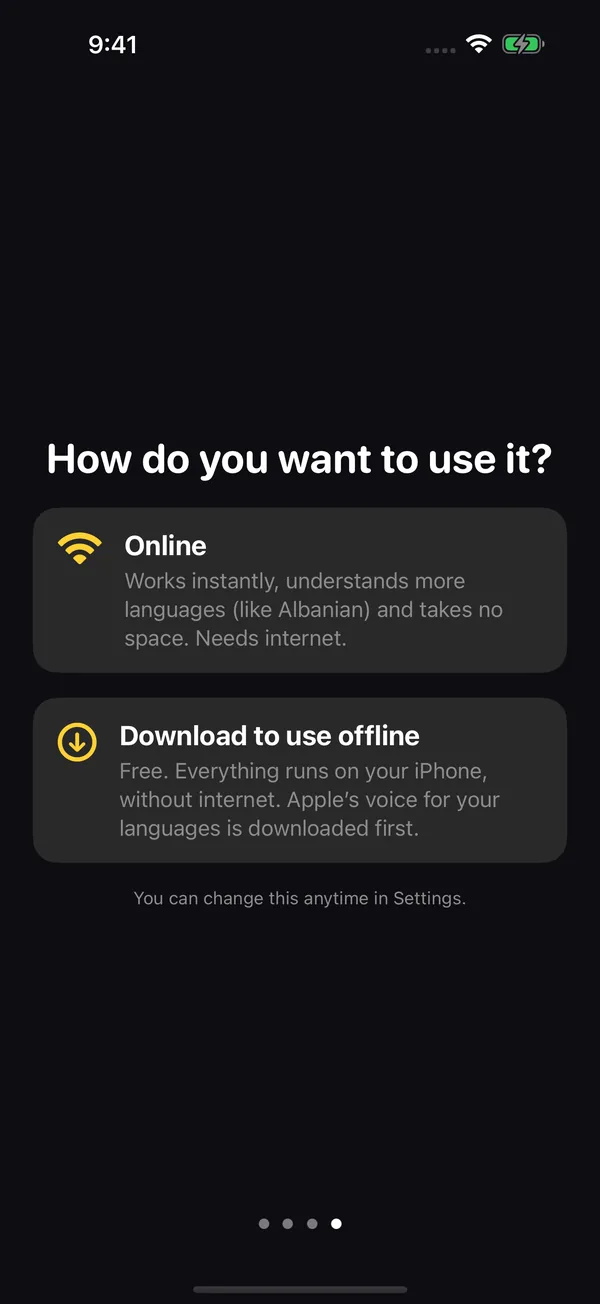
Offline is free and unlimited: speech and translation run on your iPhone.
Online, your first 15 minutes are a free trial. Then choose the monthly plan ($2.99) or the yearly one ($19.99); both include 200 minutes a month in 42 languages. Translating doesn't use minutes.
| Offline | Online | |
|---|---|---|
| Price | Free, unlimited | 15 trial minutes; then $2.99/month or $19.99/year |
| Minutes | Not counted | 200 a month with a plan; renew on the 1st |
| Where it runs | On your iPhone | On our providers' servers; we don't keep what you say |
| Needs | A one-time download of Apple's voice for your languages | Internet |
| Languages | The ones Apple supports in your version of iOS | 42 |
What people ask us.
What is TraduMega?
An iPhone app (iOS 26). Hold a button, speak, and what you say appears in giant type; the yellow button translates it into the other language. It's for showing the screen to the person in front of you: when you travel, with someone who is deaf or hard of hearing, or somewhere loud.
Does it work without internet?
Yes. Offline mode is free and unlimited: everything runs on your iPhone. First you download Apple's voice for your languages (or a Whisper model). Nothing downloads on its own: the app tells you what's missing and how big it is.
Offline, it only translates the language pairs Apple supports in your version of iOS; the app shows which next to each language.
How much does it cost?
Offline is free. Online comes with 15 trial minutes; then it's $2.99 a month or $19.99 a year, and both plans include 200 minutes a month. These are US prices; the App Store converts them to your currency.
What uses minutes?
Only dictating in online mode, from when it starts listening until it stops. Translating doesn't use minutes and offline mode uses none. With a plan, the 200 minutes renew on the 1st of each month; they don't roll over.
Which languages does it support?
Online speech and translation cover 42 languages. Offline, the ones Apple supports in your version of iOS. The app itself is in English and Spanish, following your iPhone's language.
Can I use it without touching the screen?
Yes, with the volume buttons: volume up listens in your language and volume down in the other one. One press starts and another stops; hold it and it listens until you let go. It works while the app is open and can be turned off in Settings.
Can I type instead of speaking?
Yes. The keyboard button lets you type the sentence, and the history shows what you said and translated in this session. You can also open text in giant type from Shortcuts or with Siri (“Show in large type”).
Do I need an account?
No. There's no sign-up, username or password. What you say and translate stays on your iPhone; online, the audio and text go through our providers to be transcribed and translated, and our server doesn't keep them. The details are in our privacy policy.
Is there an Android version?
Not yet. TraduMega is for iPhone with iOS 26 and is coming soon to the App Store. If you'd like us to let you know, write to hello@tradumega.com.